One-Sentence Answer
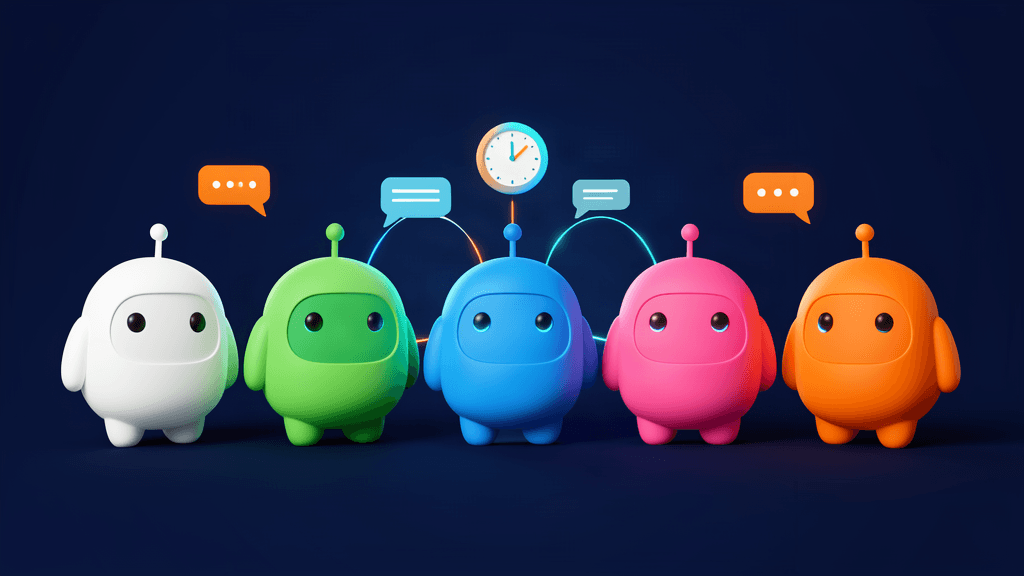
Hermes Agent's Bot Mode turns every Hermes profile into a named AI bot — with its own role, model, memory, skills, and avatar — that can run scheduled routines, deliberate in group chats, and message its peers directly, all built on the profile primitive so everything is visible from the command line. It is the simplest way to go from "one open-source agent" to "a whole AI team."
In the Hermes explainer we described Hermes as an agent that runs on your machine, connects to Telegram and WhatsApp, and keeps memory and skills. Bot Mode is the next step: not one agent, but a roster of specialists working together.
The Problem: One Agent Is Not Enough
When you ask a single agent to do everything, you quickly hit friction:
- It is replying to clients, writing code, and tracking market news at the same time;
- Different tasks need different tones, different memory, and different tools;
- You want one bot to summarize your inbox every morning and another focused on a project — without them interfering.
The naive answer is to run multiple Hermes instances, configured separately. The trouble: there is no one place to manage them, and no way to see who is busy or running what.
Bot Mode exists to fix exactly this.
What Bot Mode Is
Bot Mode turns each Hermes profile into a bot and ships built into the desktop app, on by default. It appears as a Bots tab next to Sessions in the sidebar, with one row per bot showing avatar, latest-message preview, and timestamp. A Routines panel docks beside the chat while the tab is active.
The key design: there is no new primitive to learn. A bot is a profile — isolated config, memory, skills, credentials, and chat history under ~/.hermes/profiles/<name>/. Bot Mode is a UI over that primitive, so everything you do in the GUI is visible from the CLI too:
| In Bot Mode | From a shell |
| --- | --- |
| Chat with a bot | hermes -p <bot> chat |
| A bot's files, skills, memory | ~/.hermes/profiles/<bot>/ |
| Routines | hermes cron list (jobs prefixed [bot:<name>]) |
| Create / inspect profiles | hermes profile create / hermes profile list |
No core patches, no background daemons, no extra storage. It only renders your data — it never owns it — so flipping the plugin off leaves your profiles, sessions, and cron jobs untouched.
Creating a Bot
Hit New Agent in the Bots tab. The quick path is three fields — Name, Title, Description — and the bot exists in seconds, introducing itself as the first message of its new Bot Chat.
An Advanced disclosure opens the full capabilities surface:
- Clone from an existing profile — inherit config, skills, SOUL, and memory; or pick Fresh profile for a clean start.
- Create empty — skip the bundled skills entirely for a minimal profile.
- Model & provider pin — give the bot its own model. Different bots can run on different models side by side; leave unset to inherit from the launch profile.
- Custom SOUL.md — the bot's persona and standing instructions.
- Per-skill, per-toolset, per-MCP enablement — tick exactly the capabilities this specialist needs.
- Shared keys — the new bot shares one OAuth/token pool with the main profile, so credential refreshes cannot invalidate each other.
After creation, right-click Edit Profile to reopen this surface anytime; Duplicate clones a bot wholesale; Delete Profile removes one permanently (the default profile cannot be deleted).
Avatars: Every Bot Gets a Face
- Blob faces (default) — a deterministic soft-body face drawn from the bot's name: same name, same face, forever. The face follows the name as you type; hit Randomize to re-roll or Lock face to keep one.
- Geometric faces — the classic 7 shapes × 10 colors, with eyes that blink and scan while the bot works.
- An uploaded image — any picture you like.
- An AI-generated portrait — generated in place when an image backend is configured.
- A pixel pet — a companion from the petdex gallery that bounces beside the avatar while the bot is busy.
A bot's look, title, and description live in backend profile metadata, so the same bot looks the same on every desktop connected to that backend.
Routines: Let Bots Do the Work
The Routines panel attaches recurring tasks to the bot that does them — "summarize my inbox every morning" lives next to the bot responsible for it. A structured schedule picker builds the schedule (frequency first, then only the detail that matters), with an Advanced field exposing the raw Hermes schedule string.
Routines are plain Hermes cron jobs prefixed [bot:<name>] — they show up in hermes cron list and the core Cron page. Runs land in the bot's own chat history, so the result is right where you'd talk to that bot anyway.
Group Chats: Bots Deliberate Together
Right-click a local bot → Manage groups to add it to any number of group chats. A room of 2–6 bots coordinates:
- Your message triggers up to three serial rounds of member turns. @-mentioned bots respond (everyone responds when nobody is mentioned); each bot replies briefly or passes, and the room settles when a full round stays silent.
- Bots pull each other in with
@name, and escalate real judgment calls to you with@user— the room shows a needs you badge. - Hard caps (10 messages per send, 3 rounds) keep rooms from spinning.
- Each member keeps its own persistent
Group: <name>session, so room context survives like any other conversation. - Not every bot replies to every message. Speaking is each member's choice — reply only when you have something new, pass otherwise.
Group chats span machines too: the New Group Chat picker can seat bots from any registered connection, with each member running on its own machine in its own session, carrying a device badge.
Bots Messaging Bots
Bots can message each other directly, with attribution:
- @mentions — type
@researcher have a look at thisin any chat, and the composer's @ autocomplete helps you pick the bot. The bot composes its own message and sends it withmessage_agent— your text is never forwarded verbatim, and the reply comes back attributed to that agent. - Direct messages — every Bot Chat carries the
message_agenttool: a bot messages a teammate by callingmessage_agent(target="researcher", message="…"). The tool validates the target, prefixes a "Message from 🤖 " attribution, and delivers into the teammate's canonical Bot Chat. Delivery is fire-and-forget: the sender gets an acknowledgement and finishes its turn; the reply arrives later as a background completion notification. - Renamed bots keep tags in sync — give a bot a friendly name and it becomes taggable by that name (e.g.
@research-buddy), with the old profile name still resolving.
Every Bot Chat's system prompt carries the teammate roster (names and roles), so bots know who does what before choosing a recipient.
Across machines: register multiple connections (local, remote URL, SSH, Hermes Cloud, docker) in the desktop, and rosters propagate automatically — message_agent reaches a bot on another machine just like a local teammate. For always-on machine-to-machine messaging with no desktop in the loop, use hermes peer: register another gateway as a peer, then hermes peer dm spark/researcher delivers into the remote bot's chat, runs one turn there, and prints the reply.
Who Should Use Bot Mode
- Individual knowledge workers — one bot for research, one for writing, one for project watch, each on its own routines.
- Small teams / freelancers — hand repetitive client follow-up, content scheduling, and data summaries to dedicated bots.
- Multi-agent hobbyists — run different bots on different models and have them challenge each other in group chats.
Think about which recurring routines in your week could be handed to a "dedicated bot" — start with a single, simple routine.
Key Takeaways
- A bot is a profile. No new abstraction: Bot Mode is just a UI over profiles, fully visible from the CLI.
- Works out of the box. Built into the desktop app, on by default, no extra install or cost.
- Each bot is a specialist. Its own role, model, memory, skills, and avatar; different bots can run on different models.
- They run and they talk. Routines let bots work on a schedule; group chats let them deliberate;
message_agentlets them message each other directly, even across machines. - Reversible and non-invasive. Turning the plugin off only hides the UI — your profiles, sessions, and cron jobs all stay.
To understand Hermes from the ground up, start with the explainer. For a harness-focused view, read Harness Engineering with Hermes.